

Add wind, currents and temperature
Waves are usually only part of the picture. The Wind, Currents and Temperature steps work exactly like Analyse waves: pick a dataset, configure the discretisation, and run. Add as many or as few as your assessment needs — skip any you don’t want.
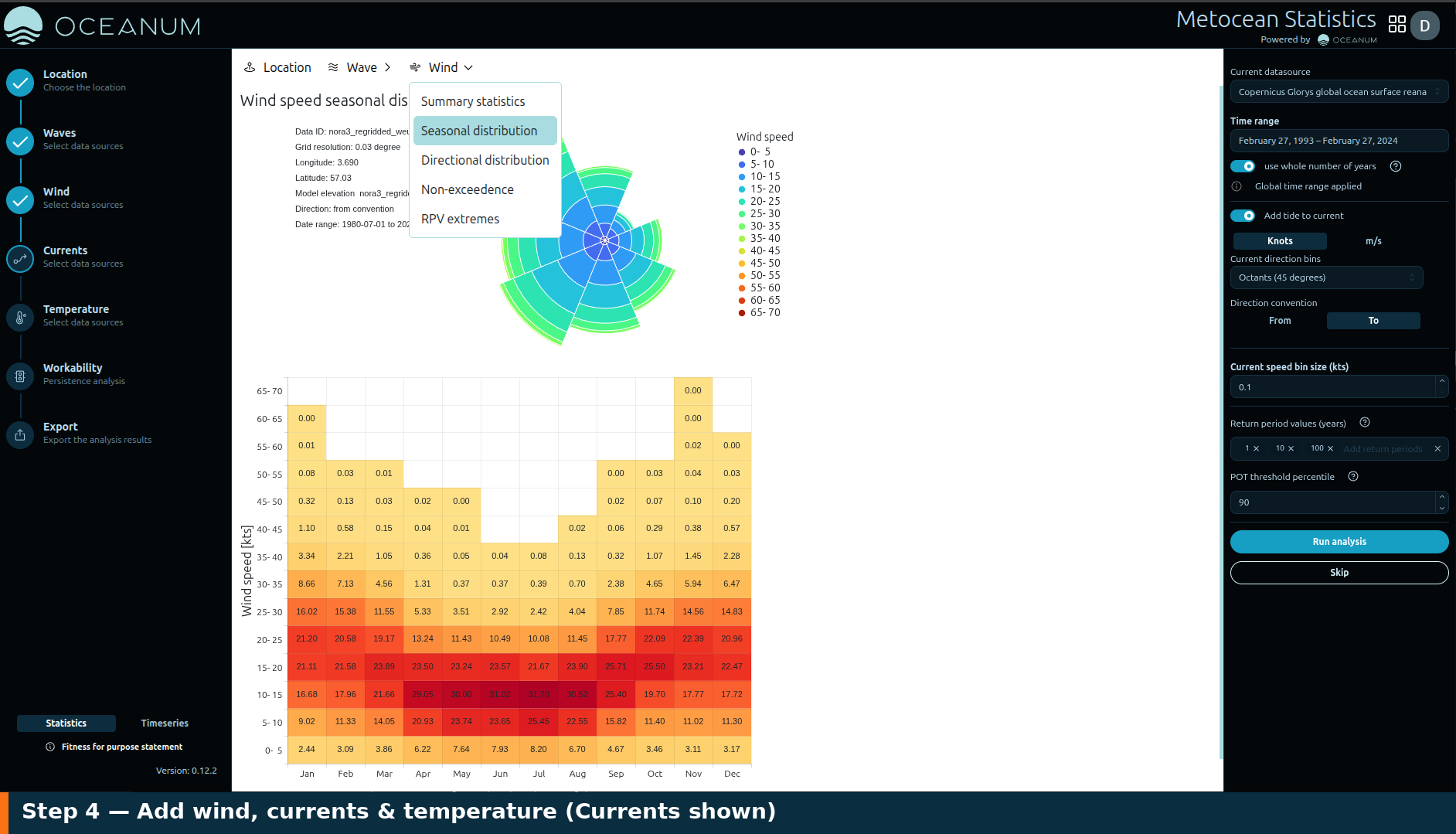
Each variable follows the same pattern. Shown here: the Currents step, with the currents-specific Add tide to current option alongside the usual dataset, units, direction-bin and speed-bin controls.
The Wind step uses an atmospheric reanalysis for 10 m wind speed and direction.
- Switch the units between Knots and m/s.
- Set the Wind direction bins and Direction convention (From / To).
- Set the Wind speed bin size, the Return period values and the POT threshold percentile for extremes, as for waves.
Click Run analysis to produce wind roses and wind statistics, or Skip.
Currents
Section titled “Currents”The Currents step analyses surface current speed and direction from an ocean reanalysis. The controls mirror the wind step — units, directional bins, direction convention, speed bin size and extreme-value settings — and produce current roses and statistics.
Temperature
Section titled “Temperature”The Temperature step covers air temperature and sea surface temperature (SST). Because temperature is not directional, the configuration focuses on the time range and binning rather than directional sectors. Run it to produce monthly and seasonal temperature statistics.
Reusing the time range
Section titled “Reusing the time range”When Global time range is enabled on the location step, every variable inherits the same analysis period, so your statistics are directly comparable across waves, wind, currents and temperature. The panel for each variable confirms Global time range applied and shows the dataset’s own coverage — the effective window is the overlap of the two.
Each completed step shows a green tick in the sidebar. Once you have run the variables you need, move on to Review the results.