

Workability and persistence
The Workability step answers an operational question: how often, and for how long, do conditions stay within limits I can work in? It finds windows in the historical record where every criterion you set is satisfied at once — a persistence analysis across the variables you have analysed.
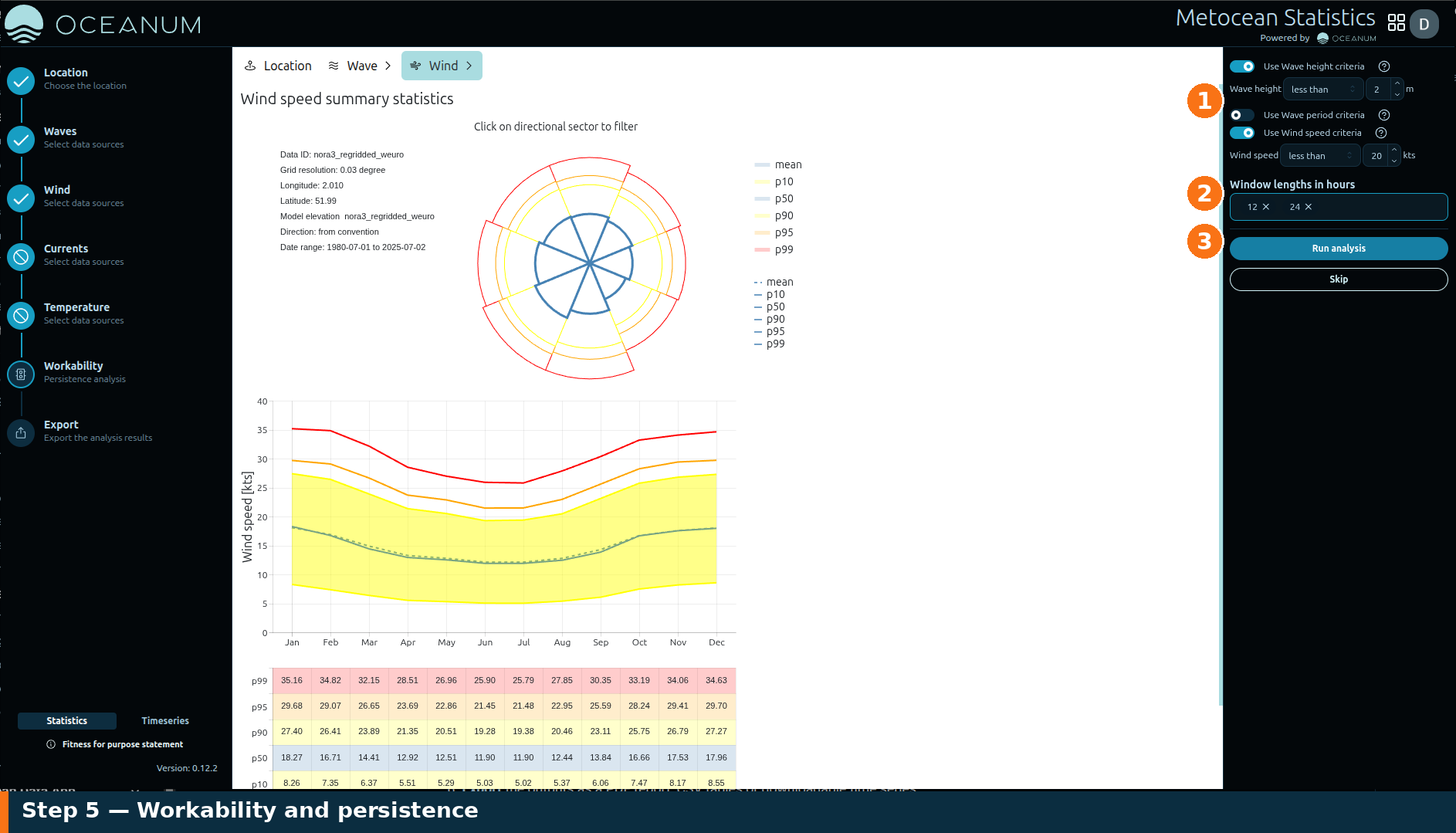
The Workability panel: 1 enable a criterion per variable (wave height, wave period, wind speed), 2 set one or more window lengths in hours, 3 Run analysis.
1. Set the criteria
Section titled “1. Set the criteria”Turn on a criterion for each variable that matters to your operation and enter its limit, for example:
- Wave height criteria — e.g. significant wave height below a working limit.
- Wave period criteria — e.g. peak period below a threshold.
Criteria are available for the variables you have already run. Wind, current and temperature criteria become selectable once those variables have been analysed, letting you combine, say, a wave-height limit with a wind-speed limit.
2. Set the window length
Section titled “2. Set the window length”Enter one or more window lengths in hours — the minimum continuous duration that conditions must remain within all the criteria to count as a workable window (for example a 6- or 12-hour operation).
3. Run
Section titled “3. Run”Run the analysis to compute how frequently those windows occur and how they vary by month and season. The result tells you the proportion of time your operation is feasible and when in the year it is most and least likely — directly useful for scheduling marine activities.
When you have the workability picture you need, move on to Export.